Import and Export (CSV)
How to export all your data, edit it in a spreadsheet, and import it back; full column reference.
CSV is an open format: no vendor lock-in, no proprietary algorithm in the way, readable with any spreadsheet or text editor. Mētra uses it for import and export because it is the format that lets you take everything with you, at any point. The export contains exactly what you logged: Mētra has no other concept of “your activity”.
Practical uses:
- Keeping a local backup you can open in any spreadsheet app.
- Migrating data from another app (if you can produce the right format).
- Bulk-editing past entries outside the app.
- Long-term archiving in an open, non-proprietary format.
Exporting your data
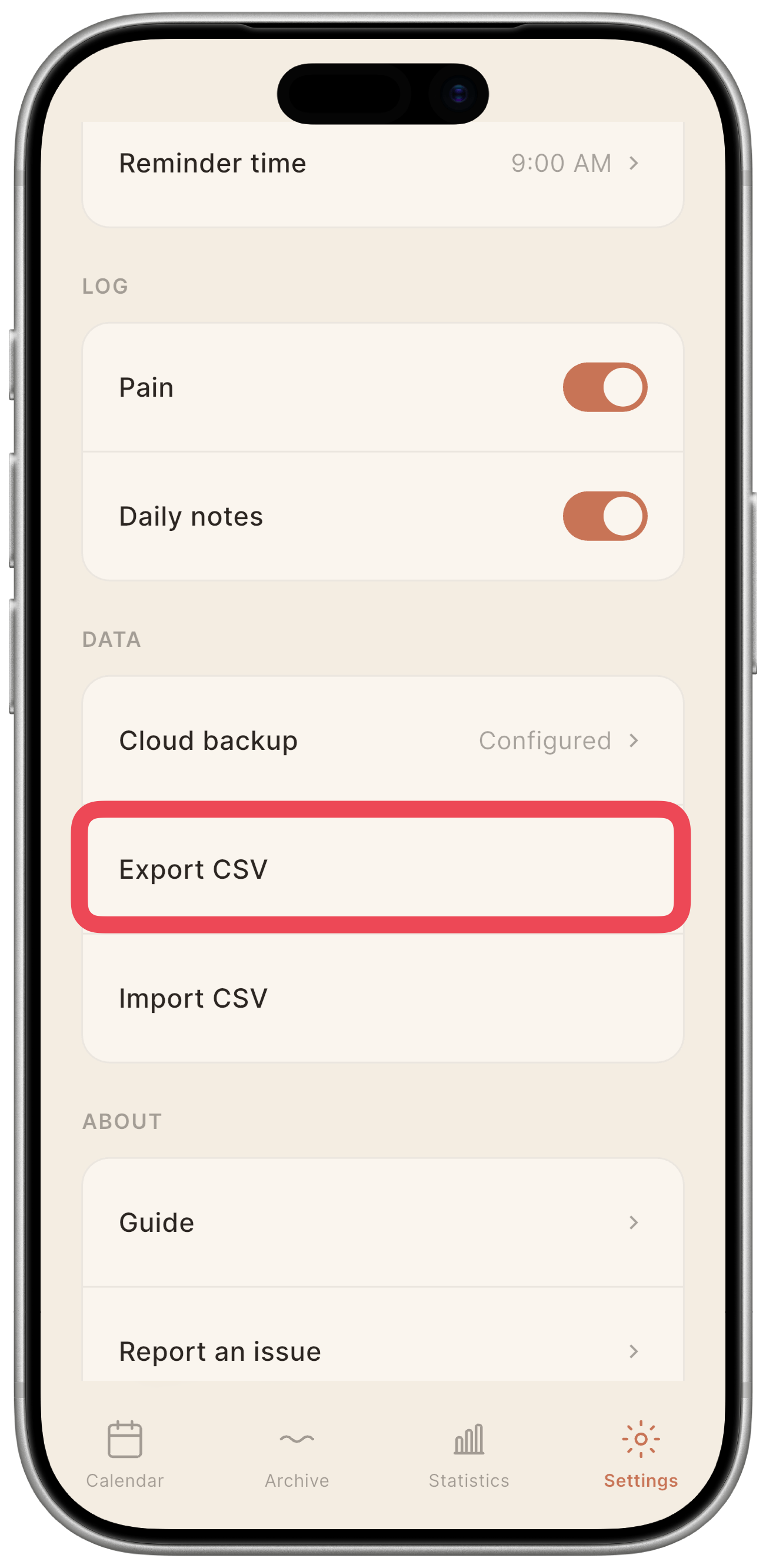
- Go to Settings.
- Tap Export CSV.
- Your device’s standard share sheet opens. You can save the file locally, send it to a computer, or open it in a spreadsheet app directly.
The export includes one row per day with logged data, in reverse chronological order (most recent first). Days with no entries are not included.
Importing data
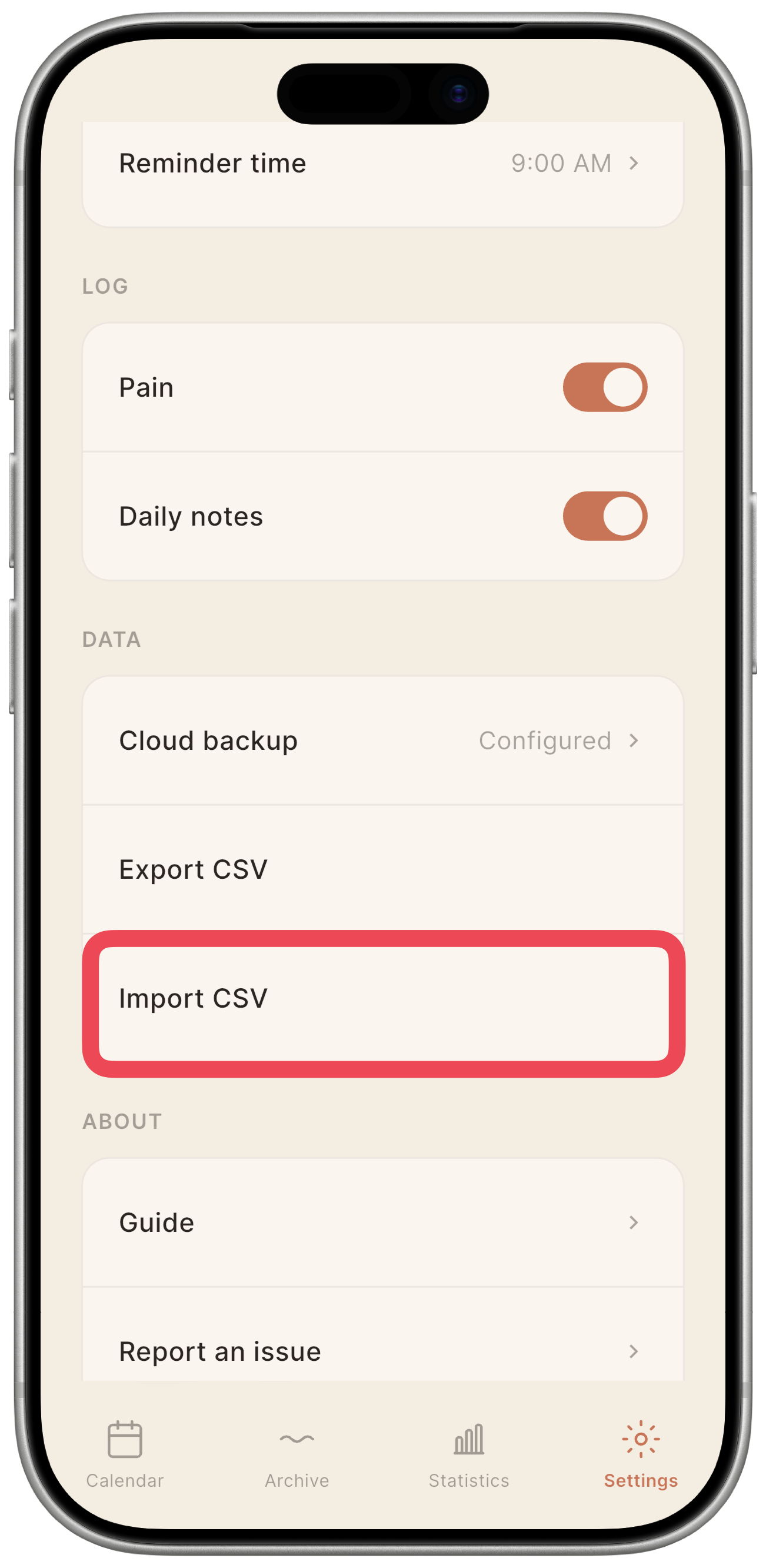
- Go to Settings.
- Tap Import CSV.
- Pick the
.csvfile from your device storage. - Mētra parses the file. If any rows contain errors, Mētra shows a summary before you commit: you can cancel at this point.
- Mētra shows the Import mode dialog. Choose one of the three options described below.
- Confirm to apply.
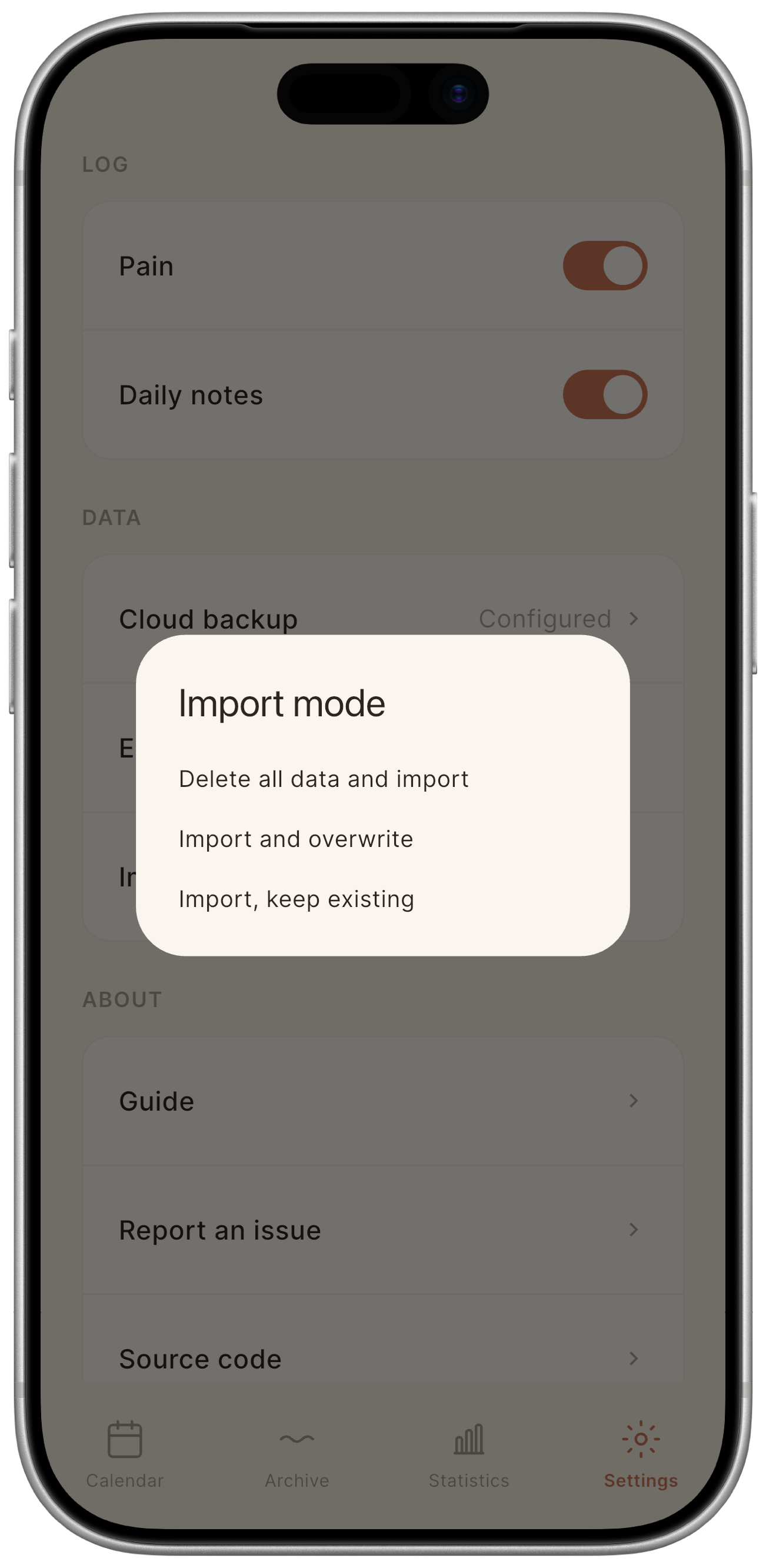
Import modes
| Mode | What it does |
|---|---|
| Delete all data and import | Clears the entire database, then imports the file. All existing entries are removed, including dates not in the file. |
| Import and overwrite | For each date in the file, replaces the existing entry (if any). Dates not in the file are left untouched. |
| Import, keep existing | Imports only dates that do not already have an entry. Existing entries are never modified. |
⚠️ Warning: “Delete all data and import” is irreversible. Before using this mode, run a cloud backup or export a backup copy. There is no undo after you confirm.
CSV format reference
The file follows standard conventions: UTF-8 encoding, comma delimiters, and \n line endings. The first row is always the header. Values that contain commas or double-quotes are enclosed in double-quotes following standard RFC 4180.
Column reference
| Column | Type | Required | Description |
|---|---|---|---|
date |
String | Yes | Date in YYYY-MM-DD format (e.g. 2025-04-15). Must be a valid calendar date. |
flow_type |
Integer | Yes | Categorical flow type. See Flow type values. |
flow |
Integer | No | Menstrual flow intensity. See Flow intensity values. Only meaningful when flow_type is 1. If flow_type is 1 and this column is empty, the intensity defaults to 1 (Moderate). |
pain_intensity |
Integer | No | Pain level: 1 = Mild, 2 = Moderate, 3 = Severe. Empty = no pain recorded. |
symptoms |
String | No | Semicolon-separated list of symptom tokens. Empty or omitted if none. See Symptom tokens. |
notes |
String | No | Free-text note. Empty or omitted if none. Double-quoted if it contains commas or newlines. |
cycle_start |
Integer | No | 1 if this day is the start of a new cycle, 0 otherwise. Export-only: this column is ignored on import. Mētra recomputes cycle boundaries automatically. |
Flow type values
The flow_type column encodes one of three mutually exclusive states:
| Value | Meaning |
|---|---|
0 |
Absent: you explicitly confirmed no bleeding. |
1 |
Menstruation: active menstrual flow. flow intensity is meaningful. |
2 |
Spotting: light, irregular spotting. flow intensity is ignored. |
flow_type is required on every row. Use 0 (Absent) to explicitly record a day with no bleeding.
Flow intensity values
The flow column is only meaningful when flow_type is 1 (Menstruation). If it is omitted or left empty while flow_type is 1, the intensity is recorded as Moderate (1).
| Value | Meaning |
|---|---|
0 |
Light |
1 |
Moderate: default when flow_type=1 and flow is empty |
2 |
Heavy |
Symptom tokens
The symptoms column is a semicolon-separated list of tokens. Tokens are case-sensitive.
Built-in tokens:
| Token | Meaning |
|---|---|
backPain |
Back pain |
headache |
Headache |
bloating |
Bloating |
fatigue |
Fatigue |
nausea |
Nausea |
breastTenderness |
Breast tenderness |
Custom symptoms use the prefix custom: followed by the label text, e.g. custom:Dolore pelvico. The label is reproduced exactly as typed.
Example: a row with two symptoms, one built-in and one custom:
symptoms
headache;custom:Dolore pelvico
Multiple symptoms in one cell:
headache;backPain;bloating
Example file
date,flow_type,flow,pain_intensity,symptoms,notes,cycle_start
2025-05-01,1,0,2,headache;bloating,Primo giorno,1
2025-05-02,1,1,1,headache,,0
2025-05-03,1,1,,,, 0
2025-05-04,1,0,,,Mi sento meglio,0
2025-05-05,0,,,,, 0
2025-05-06,0,,,,,0
Troubleshooting import errors
If Mētra rejects some rows, a list of errors is shown before you confirm the import. Each error specifies:
- Row number in the file (header is row 1, so data starts at row 2).
- Column where the problem was found.
- Raw value that was rejected.
- Reason: a plain-language explanation.
Most errors fall into predictable categories. Dates in 15/04/2025 format are a common stumble: Mētra expects 2025-04-15. A missing flow_type is the other frequent case, especially in files exported from other apps.
| Problem | Fix |
|---|---|
date not in YYYY-MM-DD format |
Change 15/04/2025 → 2025-04-15. |
date missing |
Every row must have a date. Rows without one are skipped. |
flow_type missing or out of range |
flow_type is required. Use 0, 1, or 2. |
flow out of range |
Use 0, 1, 2, or leave empty (defaults to 1 when flow_type=1). |
pain_intensity out of range |
Use 1, 2, 3, or leave empty. |
Rows with errors are skipped; valid rows are still imported.